



SAP role design with Fiori: catalog, space and activity are three different permissions

The ticket always arrives with the same sentence: “I don’t have access”. Then three teams look at the same user, each through their own window, and all three answer the same thing: it looks fine on my side.
The authorisation team checks and the role is assigned. The Fiori team checks and the app is in the catalog. The functional consultant checks and the permission exists. Nobody is lying — they are looking at three different permissions, and the user needs all three at once.
The four layers, and the question each one answers
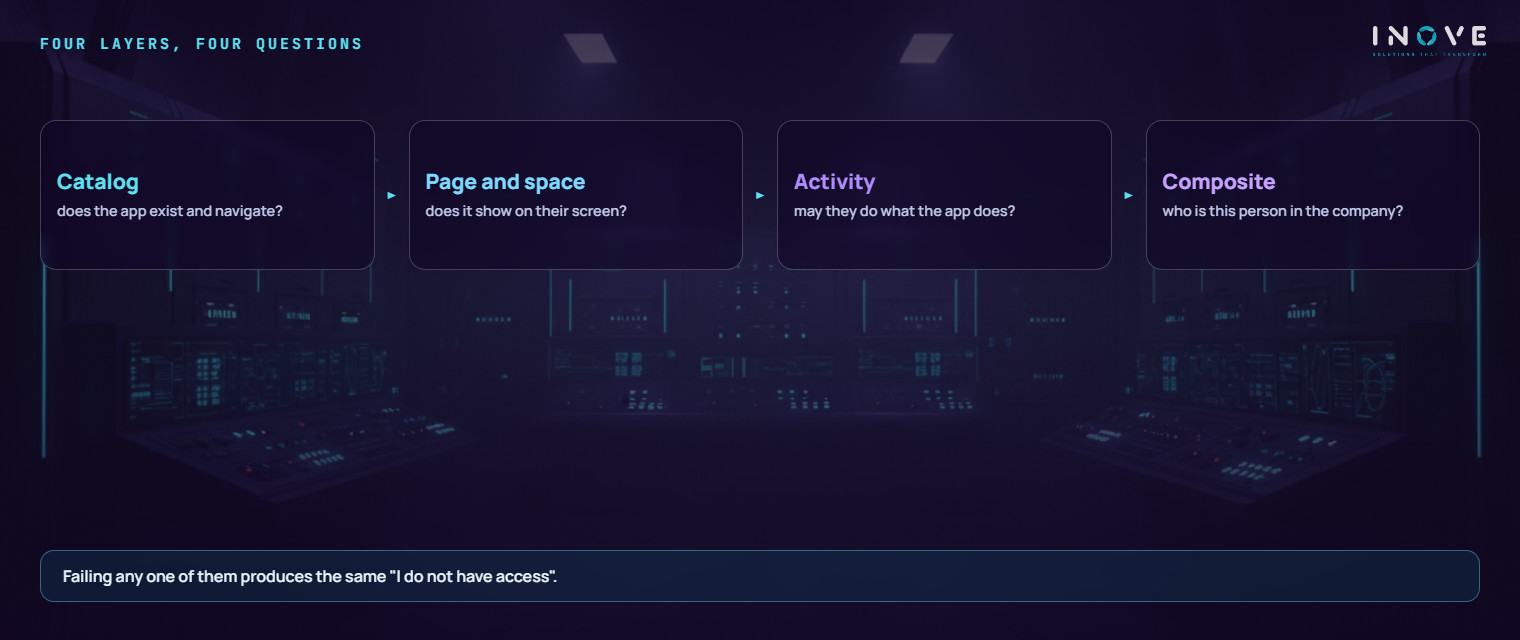
In an environment with Fiori, a role is not one thing — it is four, stacked. Each answers a distinct question, and failing any one of them produces the same symptom on screen.
The catalog answers: does this app exist and does it know where to go? It is the inventory. It holds the tile the person sees and the target mapping — the instruction that says which application to open when the tile is clicked.
The page and the space answer: does this app show up on their screen? This is the visual layer. The page organises tiles into sections; the space is the launchpad tab that carries that page to the role. Nothing here grants permission — it is a shop window.
The activity answers: can they do what the app does? This is the authorisation field behind the object — create, change, display, delete. Here, and only here, permission actually lives.
The composite answers: who is this person in the company? It is the job. It is the only object assigned to the user, and it contains nothing by itself — it aggregates.
The symptom deceives because all four fail alike. With no catalog, the app does not open. With no space, it does not appear. With no activity, it opens and throws an authorisation error. With no composite, none of it reaches the user. From their chair, all four cases read as “I don’t have access”.
How we structured it, in practice
The design below belongs to a mid-sized insurer, with 78 single roles and 56 spaces. It is not the only possible one, but it solves the problem nearly every role design has: knowing, from the name alone, where to look when something fails.
Only the composite is assigned to the user. It represents the job — module, area and function. Inside it go exactly two roles: the single role of the same name, which carries everything belonging to that job, and a technical base role that every launchpad user needs and that nobody should duplicate.
Everything lives in the single role. Catalog, page, space and authorisation data — all four in the same object. It is the most important decision in the design, because it creates one place to look. When somebody says the role is wrong, there is no doubt about where to go.
The composite aggregates, it does not contain. It holds no content of its own: it rebuilds its menu from the roles it contains. That has a practical consequence that costs hours to anyone who does not know it — changing the single role does not reach the user until the composite is re-aggregated. The content is right, the test fails, and the team hunts for the error in the wrong place.
The name carries the convention. Role and content share the same identifier, changing only the separator: the role uses a colon, while the page, the space and the catalog use an underscore. It sounds cosmetic. It is not: it is what lets you find a role’s catalog without asking anyone, and it is what made it possible to audit all 78 structures by query instead of screen by screen.
Why the tile appears and does not open
This is the most common defect when catalogs were assembled by hand, and it deserves its own name because it does not look like what it is.
A tile in a catalog has two parts: the tile itself, the square on the screen, and the target mapping, the instruction for where to navigate. Copying a catalog through the interface brings the tile and does not bring the mapping. The result is a launchpad that looks perfect and where clicking does nothing.
In one case, a catalog had 96 tiles and zero mappings. The opposite defect existed too: catalogs with more than 2,600 mappings and 30 tiles, because someone had copied an entire standard catalog into the role. In both cases the on-screen symptom is confusing; the cause is the same assembly decision.
Fixing that by hand is not viable — it was more than 500 catalogs, with about 860 mappings recreated and 15,357 removed in the cleanup. At that volume the work is not clicking better; it is comparing the intent of each tile with the intent of each mapping and acting on what the comparison says.
What goes wrong, by name
Treating a catalog as an authorisation. Removing an app from a catalog stops nobody from anything — the person still gets there through the classic transaction if the activity allows it. A catalog hides; an activity forbids. Confusing the two produces the feeling of security without the security.
Granting the permission without granting the path. The reverse is just as common and quieter: the user has everything they need and cannot find the screen. They do not raise a ticket saying “my catalog is incomplete” — they say the system does not work, and somebody will check authorisations for hours.
Trusting the role name as the source of truth. In databases with a few years on them, the name is historical. We found roles whose name described one job and whose content was another — inherited from a standard package installed years earlier. The reliable source is the job-to-role map maintained by the company, not the text on the object.
Assigning the same space twice. It happens when two people fix things in parallel, and the effect is a duplicated tab on the user’s screen. It is trivial to resolve and nearly impossible to notice without a check that counts occurrences.
Fixing in the wrong place. Editing the composite while hunting for content that lives in the single role is the mistake that consumes the most time, because the team makes the right change to the wrong object and concludes the system is broken.
The honest limit
No role design fixes an organisation that has not decided who does what. If two departments disagree about who approves a purchase requisition, that is not an authorisation problem — it is a business decision that turns, inside the system, into a role nobody can close. Structuring roles exposes that indecision; it does not resolve it.
It is also honest to say that a naming convention is worth more than tooling. Most of the gain here did not come from automation: it came from deciding that role and content share the identifier, and that only the single role carries content. After that, automation became possible — before it, automation would only have accelerated the mess.
And there is a maintenance cost that does not go away: every new app has to enter the right catalog, with the right mapping, and appear on the right page. Without someone accountable for that, the structure drifts again within months — more slowly, for the same reason as before.
If the starting point is understanding what exists today before redesigning, begin with the IT diagnostic. If the concern is access control as a whole and not just the launchpad, see managed security. And if the environment is already live and the problem is sustaining the structure day to day, the path is SAP AMS.