



What Is ChatGPT and How to Use It Well at Your Company

ChatGPT stopped being news a long time ago. In 2026, it — and AI assistants in general — is part of the routine of anyone who writes, codes, analyzes spreadsheets, or serves customers. The question that matters has changed: it is no longer “what is this?” but “how do we use it well, safely, inside the company?”.
That is why this guide treats ChatGPT as what it is today: a work tool. We explain how it works under the hood, what it does well, how to write requests that produce useful answers, and — the point we most often see ignored — what should never go into an AI conversation without governance.
What it is, without the jargon
ChatGPT is an assistant built on language models: systems trained on enormous volumes of text that learn the patterns of language and use them to generate answers. It does not look up ready-made sentences in a database — it calculates, word by word, the most likely continuation of what you asked.
That explains the tool’s two faces. On one side, impressive fluency: it converses, adjusts course when you correct it, and keeps the context of the dialogue. On the other, the well-known risk: it can confidently state something incorrect — the so-called hallucinations. Human review is therefore not optional in anything with consequences.
In addition, today’s assistants are multimodal and connected: they read uploaded documents and spreadsheets, interpret images, search the web and, increasingly, act as agents — executing multi-step tasks such as querying a database and assembling a report.
What it does well in the corporate day-to-day
- Writing and editing — emails, proposals, meeting minutes, translations, and tone adjustments.
- Document summarization — long contracts, reports, and policies condensed in minutes.
- Code — writing, reviewing, explaining, and documenting, including legacy systems.
- Data analysis — reading a spreadsheet, cross-referencing information, and spotting patterns.
- Structuring reasoning — turning a loose idea into a plan, script, or presentation.
How to ask better: the basics that solve 80%
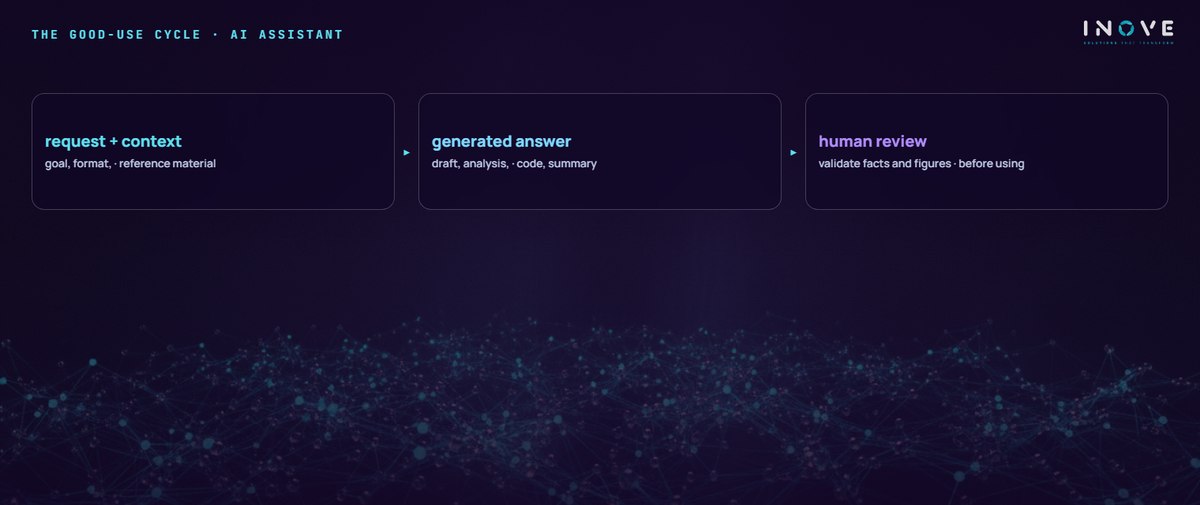
- Provide context and material. Attach the document, the spreadsheet, or the reference example. A generic answer is almost always a symptom of a generic request.
- Define role and audience. “Explain it as if I were the CFO” produces a different result than a bare question.
- Specify the format. A table, a list, a ten-line email, commented code — say what you want to receive.
- Iterate. The first answer is a draft. Correct it, ask for alternatives, refine. The conversation is the method.
- Verify. Numbers, names, laws, and references deserve a check before any external use.
Corporate data: the conversation that has to come first
Here is the point that separates mature use from improvisation. Everything typed into an assistant leaves the company’s perimeter. So a few rules are not bureaucracy — they are survival:
- Use a corporate account, with a contract guaranteeing your data does not train the model. A free personal account offers no such guarantee.
- Define what never goes in — customer personal data (protected by the LGPD, the Brazilian data-protection law), trade secrets, credentials, unpublished financial information.
- Publish a usage policy that is short and clear. “Shadow AI” — everyone using whatever tool they like, off the record — is today one of the most common leaks we find in cybersecurity assessments.
- Responsibility belongs to whoever signs. The assistant’s answer is an input; the decision and the final content belong to the person who uses them.
From individual use to system integration
The natural next step is to take AI out of the browser window and put it inside the processes: an assistant that answers with the company’s own data, integrated with the ERP, the service desk, or the customer portal via API. It is an integration project like any other — with authentication, logs, and governance — the kind we handle in our software development practice.
In short, ChatGPT is today what the spreadsheet was in the 1990s: a productivity tool everyone will use one way or another. The difference between real gains and unnecessary risk comes down to three things — a good request, human review, and data rules defined before the first prompt.