



On-Premises to AWS Cloud: The Savings That Are Real

For years, independent reports tried to answer the same question: how much does migrating from on-premises to AWS actually save? Studies such as the one by the Enterprise Strategy Group (ESG) pointed to reductions in the range of two-thirds across compute, networking, and storage, comparing on-premises workloads with the same workloads in the cloud. Big numbers — and, with the right caveats, credible ones.
In 2026, however, the question has moved. It is no longer “to migrate or not to migrate”: it is how to turn the savings potential in the reports into real savings on your invoice. So in this article we revisit what these studies show, where the numbers come from, and — above all — what separates those who capture the gain from those who merely change address.
Where the report numbers come from
In practice, studies like ESG’s combine customer interviews, their own research, and a conservative three-year TCO (total cost of ownership) model, comparing AWS with running the same workloads on on-premises infrastructure. The result shows up on three classic fronts:
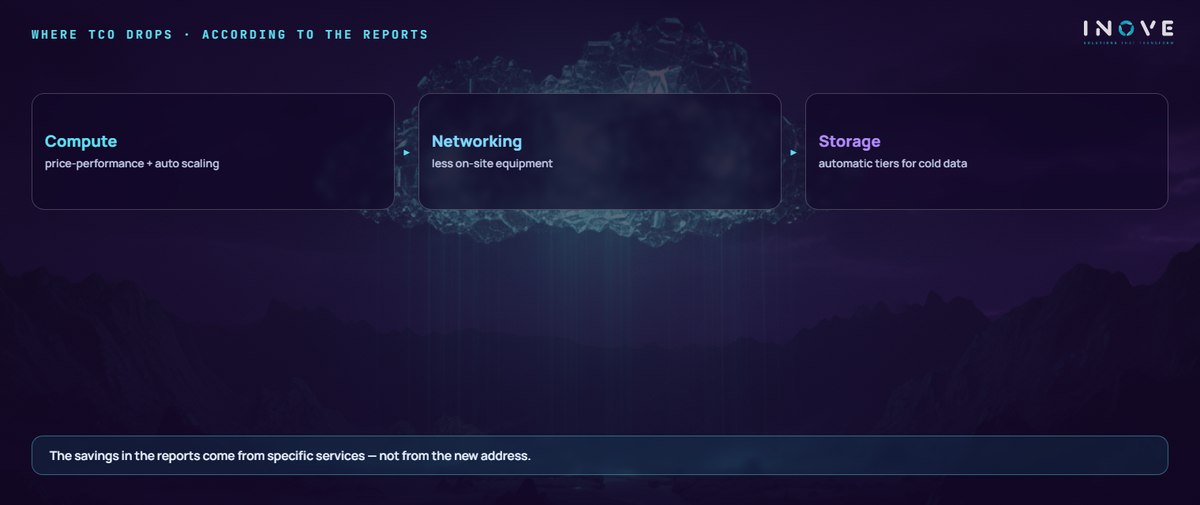
- Compute — the gain comes from instances with better price-performance (such as those based on Graviton processors), serverless computing, autoscaling, savings plans, and spot instances for interruption-tolerant workloads.
- Networking — the savings come from eliminating local equipment and links, with operations simplified by managed connectivity services.
- Storage — intelligent classes that automatically move cold data to cheap tiers make cost track real usage, not the historical peak.
In addition, well-known cases illustrate the mechanics: companies with gigantic media volumes migrated trillions of files to archive classes with millisecond retrieval — without end users noticing — precisely because rarely accessed data does not need to pay hot-data prices.
The fine print that matters
Likewise, it pays to read the studies with adult eyes. The numbers come from models and interviews, not from contractual guarantees. They assume the use of the right services: whoever replicates on-premises machines at the same size, with no autoscaling and no storage tiers, reaps nothing of the kind. And there is a factor the old reports did not even model: AI workloads, intensive in GPU and energy, demand their own cost analysis.
How to capture the promised savings
Therefore, the playbook that brings your invoice close to the report’s number is well known:
- Size by measured usage — the on-premises history reveals the slack; contracting for the peak is paying for the old mistake in a new monthly fee.
- Commit what is stable — reservations and savings plans for the base; spot and serverless for the variable part.
- Let storage optimize itself — automatic tiers for cold data, with a lifecycle defined from day 1.
- Govern every month — tags, chargeback by area, budget alerts, and a review of idle resources as routine, not as an annual clean-up drive.
Likewise, it is worth measuring what the reports call indirect benefits: shorter time to value, lower operational risk, and a team freed from hardware maintenance. They do not show up on the invoice, but they show up in project timelines — and, for the business, time is money.
That is exactly the discipline we apply in our cloud and FinOps projects: from the well-sized migration to the governance that sustains the gain — because we have seen, in assessments of real environments, underused usage commitments wasting the discount the customer had already contracted.
To structure the path, download the “Cloud migration checklist” at the Inove Academy.
In short, the reports on migrating to AWS tell a true story: the company-owned data center loses the cost comparison for most workloads. But the ending of that story is written by the operation. The two-thirds savings exist — for those who migrate with method and govern with discipline. For everyone else, they remain where they have always been: in the report.