



SAP Archiving: The Cheapest Lever to Make Your System Fast Again
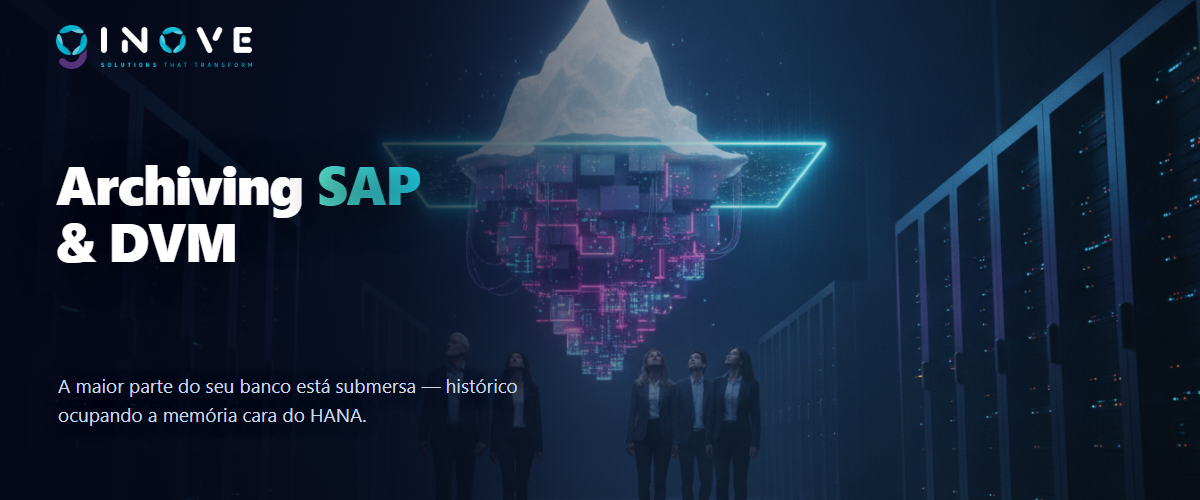
While the market talks about migration and AI, SAP archiving remains the cheapest lever to make your system fast again — and one of the least used. The reason is simple: data volume management is not glamorous. The numbers, however, are. For example, in the environments we analyze, a small fraction of the tables concentrates most of the database. Moreover, a large share of that volume is history nobody queries — yet it costs HANA memory, backup, and maintenance windows every single month.
Therefore, in this article we show how SAP archiving works in practice. We also explain why it is worth even more before an S/4HANA migration. In addition, we show how we do it at Inove — including with our own analysis tool.
In one sentence — archiving is like reorganizing your company’s file room: the papers you do not use every day leave the desk (the fast, expensive database) and go to the archive (low-cost storage), organized and within reach whenever someone needs them. As a result, the desk is clear — and everything stays safely stored.
The problem that grows in silence
Every SAP system accumulates data: material documents, orders, invoices, time records, interface logs. As a result, year after year that volume sends you the bill in four places:
- HANA memory. First of all, the in-memory database is the most expensive resource in the environment. Therefore, historical data sitting in RAM is money standing still.
- Performance. In addition, reports scanning tens of millions of records slow down — for example, MB51, FBL3N, and billing queries.
- Migration and upgrades. Likewise, every S/4HANA conversion test copies and processes the entire database. In other words: high volume = longer windows, more cost, and more risk.
- Backup and DR. Finally, backup windows, replicated storage, and restore times — everything grows along with the database.
Why SAP archiving comes before migration
If S/4HANA is on your horizon, then the order matters: archive before you migrate. Every gigabyte that leaves the database before the conversion is a gigabyte you do not pay to migrate — in project time, in infrastructure sizing, and in HANA licensing. In brownfield conversions, for example, reducing volume shortens downtime windows and lowers the risk of overrunning the cutover weekend. In addition, we detail this relationship in our article on the migration to SAP S/4HANA.
In practice — in an industrial environment we analyzed with our tool, the survey covered 357 tables, with a detailed breakdown by year and organization in 78 of them. As a result, the map showed what always repeats: a few objects concentrate the bulk of the volume, and history older than 5 years accounted for a huge slice of the database — a direct candidate for SAP archiving, with no impact on operations.
Archiving is part of something bigger: DVM (Data Volume Management)
Archiving business documents is the best-known piece — however, the full discipline is called DVM (Data Volume Management), and SAP treats it as a continuous program, not a one-off project. In short, DVM combines these fronts:
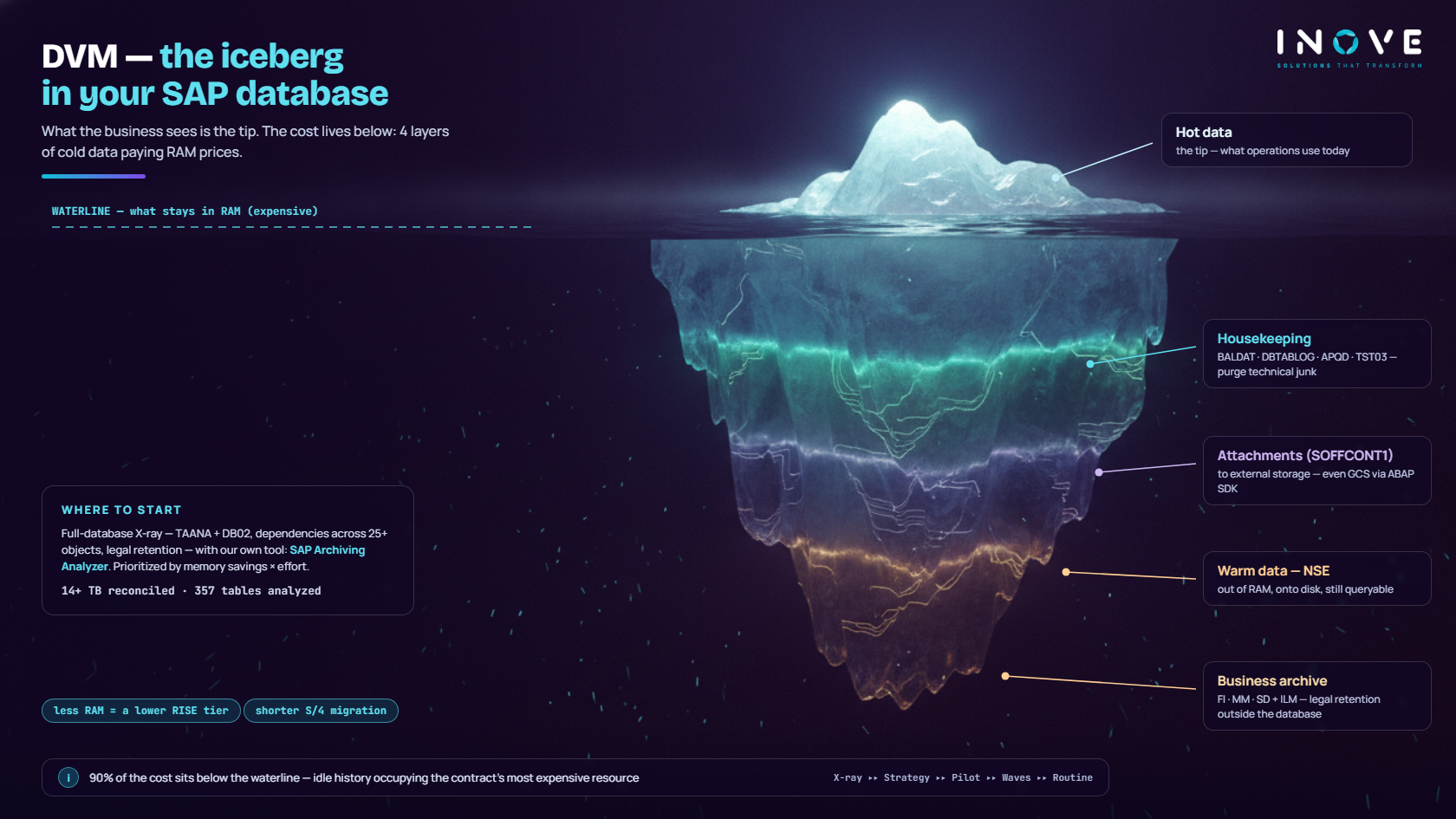
- Prevention. First, keep the data from being created at all: review interface logs, logging parameters, and technical housekeeping. Tables such as
BALDAT(application logs),DBTABLOG(table logging),APQD(batch input),TST03(spool), and theSWW*tables (workflow) grow on their own — and yet they almost never need all of it. - Attachments and content. Next,
SOFFCONT1stores attachments (GOS/SAP Office) inside the database — a classic: gigabytes of PDFs and images occupying HANA/Oracle. The solution, therefore, is to move the content out of the database and keep only the link in SAP. For a retail client, for example, we designed exactly that with a modern cloud architecture: migrating the attachments to Google Cloud Storage using the ABAP SDK for Google Cloud — SAP reads and writes directly to the bucket, with object storage costs (a fraction of database costs) and no change to the user experience. - Summarization and deletion. In addition, technical data that can be aggregated or simply removed after its retention period (jobs, spools, processed IDocs).
From archiving to data tiering — and to cost
- Business archiving. Here come the classic objects (FI_DOCUMNT, MM_EKKO, SD_VBAK…), with legal retention and guaranteed access — the central topic of this article.
- Data tiering in HANA (NSE). Finally, for SAP HANA databases, the Native Storage Extension moves warm data from memory to disk without leaving the database — the tables remain queryable through normal SQL, but they stop occupying RAM. In other words, it is the perfect complement to SAP archiving: recent history that still needs frequent queries goes to NSE; the old data goes to the archive. Consequently, the right combination reduces memory sizing (and the license) without sacrificing access.
Furthermore, there is a direct link to your wallet: in RISE with SAP, the contract is sized by HANA memory — each sizing tier has a price. Well-run DVM (archiving + NSE + housekeeping) holds database growth in check and avoids climbing a tier at renewal. It is FinOps applied to SAP: volume management turning into a direct subscription reduction.
Field experience — our object-dependency methodology was born in real projects on large environments: the reference structure we use maps 25 archiving objects and 30 dependencies (MM, PP, FI, SD, CO, QM, PM), validated at a large steel producer. In addition, we have executed technical archiving with a cutover plan at a manufacturing company, on a database of more than 14 TB, reconciled segment by segment (data, indexes, and LOBs).
What a good SAP archiving project involves
- Volume analysis by table and object. First, SAP’s own tools — TAANA (table analysis) and DB02 (database view) — show where the weight is: by year, by organization, by module. Without that X-ray, therefore, the project becomes guesswork.
- Dependency map between objects. Next, SAP archiving objects (MM_EKKO, RV_LIKP, SD_VBAK, FI_DOCUMNT…) have an order: you do not archive billing before deliveries. A serious project respects that chain.
- Legal retention policy. In addition, Brazilian tax law requires long retention — in other words, the data leaves the database, not your reach. ILM and a proper store solve this.
- Access to archived data. Likewise, reading through transactions, SARI/ALO, or document attachments — after all, users cannot “lose” the history.
- Execution in waves, without stopping operations. Finally, controlled write, verification, and deletion runs, with windows and monitoring.
Getting attachments out of the database: what RSIRPIRL does not warn you about
Execution has its own report — RSIRPIRL — and two behaviours that derail projects run by experienced people: in delay mode the category in SOFFPHIO stays SOFFDB after the run, which looks like a failure and is not; and documents with an empty file size migrate with no content, while the migration reports success. We wrote both cases in detail, with the SAP note that explains them, in SOFFCONT1 and RSIRPIRL: the step that looks like failure.
How Inove does it — with its own tool
SAP archiving is one of our specialties — so much so, in fact, that we built the SAP Archiving Analyzer, Inove’s own tool that analyzes the tables in your environment and proposes an archiving strategy that already respects the dependencies between objects:
- Database X-ray — distribution by module, largest tables, volume growth over time.
- Analysis by year and organization — next, how much of each table is archivable history.
- Dependency map — then, the correct archiving order across objects (MM, PP, FI, SD, CO…).
- Prioritized recommendation — finally, ranked by memory gain and effort, so you start with what gives the most back.
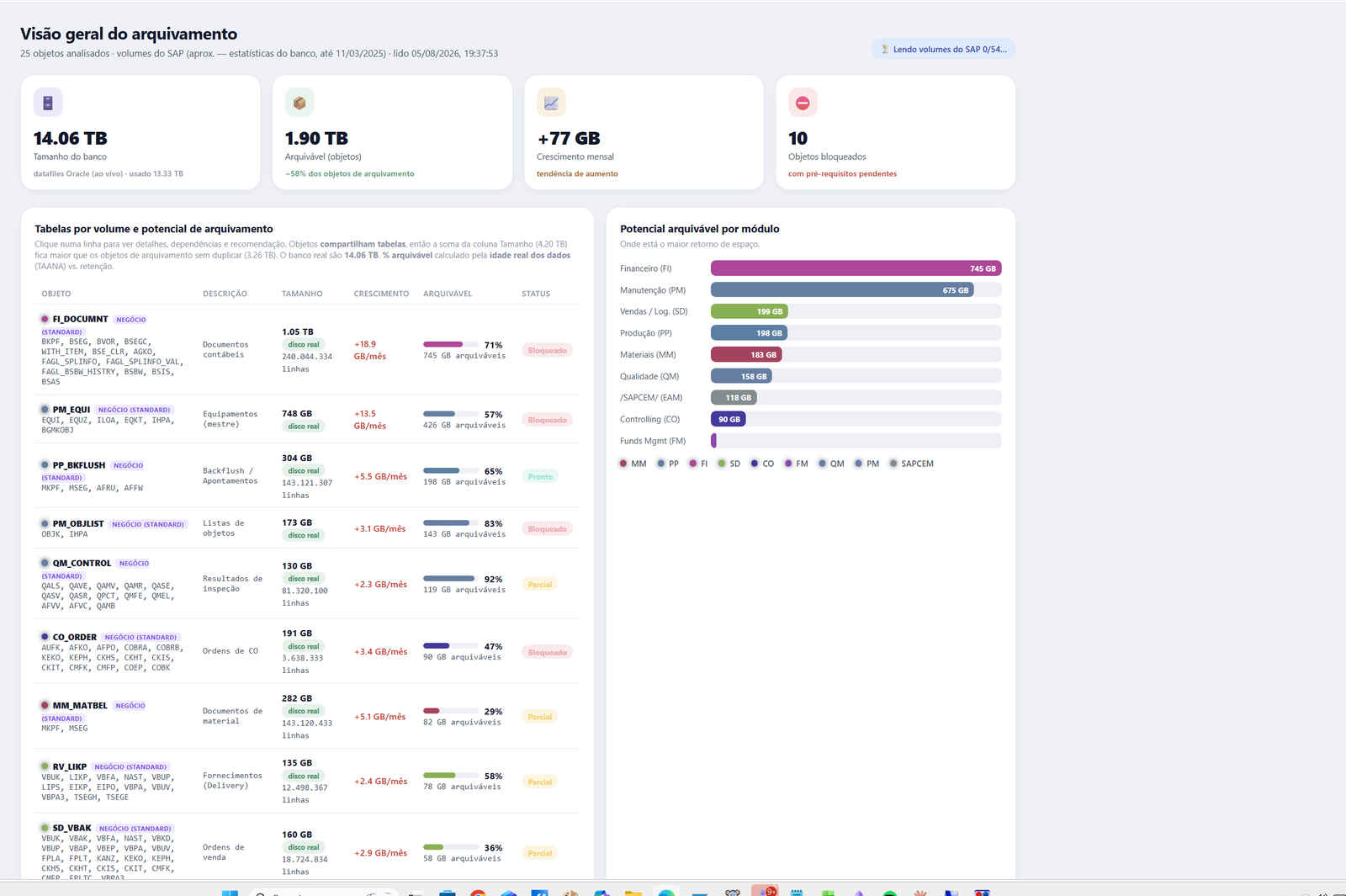
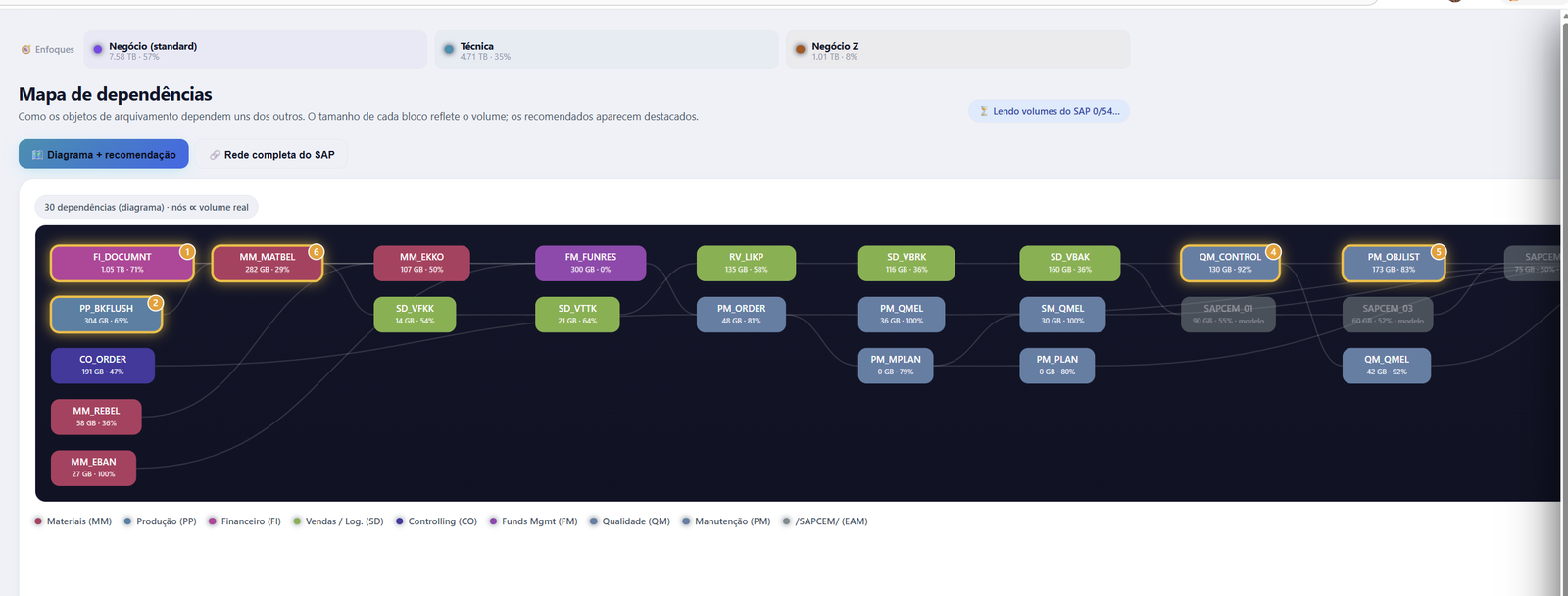
With the diagnosis in hand, we then execute the complete strategy: object configuration, legal retention, archive store, execution in waves, and measurement of the gains — memory released, performance, and cost. Moreover, everything runs inside our AMS managed-support model, which keeps the archiving policy alive after the project (archiving once and stopping is like shoveling snow in a blizzard).
Our long-standing vision: we want our clients to have zero IT headaches and be happy — with an SAP system that is lean, fast, and cheaper to run.
Where to start
- Volume X-ray of your SAP system — where the weight is, by table, year, and organization.
- SAP archiving strategy — next, objects, dependencies, legal retention, and store.
- Pilot on the highest-impact objects — as a result, fast and measurable gains.
- Continuous routine — finally, the archiving policy operating inside managed support.
Read next
- Migration to SAP S/4HANA: why the foundation decides the project
- Brazilian Tax Reform and SAP: what IT needs to prepare
- AMS for SAP: managed support that takes the weight off your team
So, is your SAP system heavy and expensive? Request a volume X-ray with the SAP Archiving Analyzer — talk to Inove Solutions.