



Two-Factor Authentication and Biometrics: Essential Shield
The password, on its own, has already lost the war. Mass leaks, infostealers and AI-written phishing mean that any single-factor credential is, in practice, one scam away from the wrong hands. That is why two-factor authentication — and its evolution, multi-factor authentication with biometrics and passkeys — has stopped being an advanced feature and become the acceptable minimum for protecting a company.
In this article, we explain how these methods work, why not every second factor offers the same protection and how to combine them into an identity program that holds up against today’s attacks. It is the layer Inove deploys first in virtually every security project — because it delivers the highest return per dollar invested.
What two-factor authentication is
The logic is combining factors of different natures: something you know (a password), something you have (a phone, a physical key) and something you are (biometrics). Even if the intruder obtains the password — and assume that at some point they will — the second factor is still missing to complete the access.
In practice, the effect is immediate: the overwhelming majority of automated attacks using leaked credentials simply stop working. Moreover, activation is simple on most corporate platforms, which makes the measure accessible to companies of any size.
Not every second factor is equal
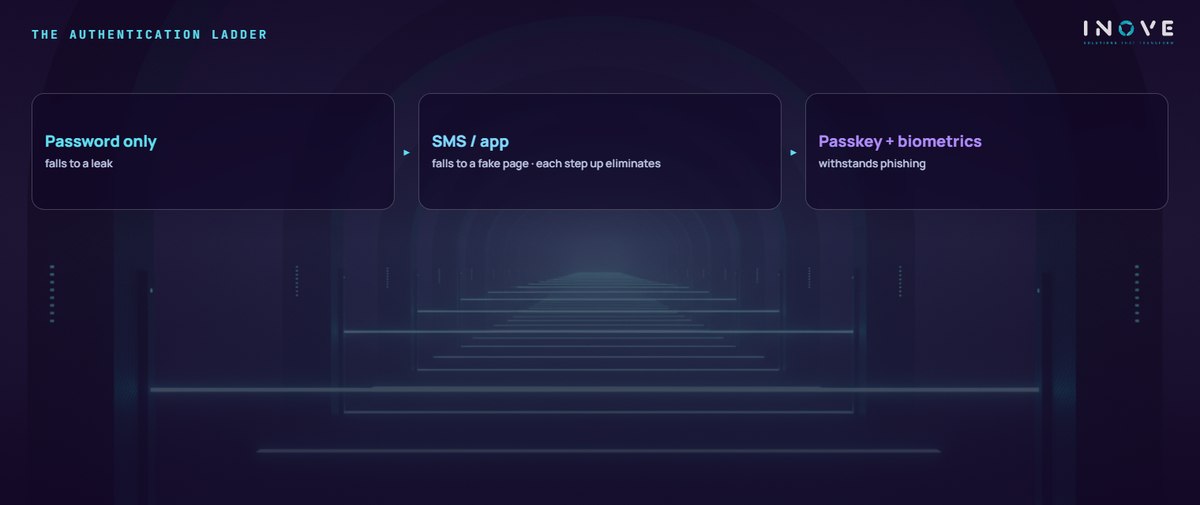
Here lies the detail many security programs ignore. Today’s phishing kits build fake pages that capture, in real time, the password and the typed code — and relay them to the legitimate service. So there is a clear hierarchy of strength:
- SMS codes — better than nothing, yet the weakest: vulnerable to SIM swapping and to capture on a fake page.
- Authenticator apps — eliminate the SIM risk, but the code can still be “fished” in real time.
- Push notifications with context confirmation — stronger, as long as the user does not approve insistent requests out of fatigue.
- Passkeys and FIDO2 keys — the gold standard: the credential is bound to the legitimate site and does not work on the fake page. This is so-called phishing-resistant MFA.
The role of biometrics
Fingerprints, facial recognition and iris scans use what is unique to each person. In corporate practice, biometrics shines as the local unlock: it is what releases the passkey stored on the phone or laptop. The biometric data never leaves the device — what leaves is cryptographic proof that the owner was there.
The advantages are concrete: nothing to memorize, authentication in seconds and fraud that is much harder. However, biometrics does not replace the architecture — it completes it. The robust design is biometrics unlocking a cryptographic factor, on top of well-executed identity management.
How to implement it in your company
- Assess the risk — map the critical accesses: corporate email, ERP, cloud, finance and administrative accounts come first.
- Require the right factor in the right place — passkeys or FIDO2 on critical access; simpler factors may suffice elsewhere, as long as there is an evolution plan.
- Choose established tools — and integrate them with identity management (IAM) to apply conditional access by device, location and behavior.
- Train the team — including on the scams that try to bypass MFA, such as notification bombing and fake pages.
- Review continuously — orphaned accounts, “temporary” exceptions and vendors with permanent access are where the program rots in silence.
In short, two-factor authentication and biometrics are the foundation of modern security: they close the stolen-credential door and even improve the experience of those logging in — no password to type, no code to wait for. The journey, however, does not end at login: session, device and behavior complete the identity perimeter. Building that layer end to end is a central part of what we deliver in cybersecurity, alongside the daily routine of IT support.